Check a photo the moment it's taken: blurry, too dark, too bright, glare, noisy, or a finger over the lens. On the device itself: Android, iOS, desktop and the web, from one Kotlin Multiplatform library.
Free up to 10k monthly active devices · No API key · On Maven Central · Android, iOS, desktop, web

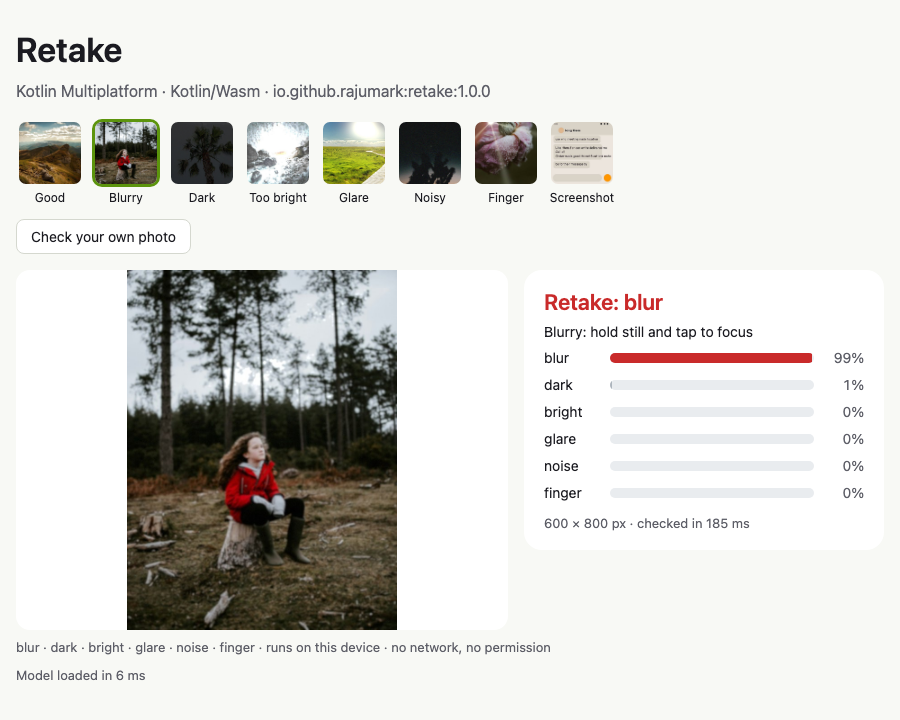
This is the actual Retake library, compiled to WebAssembly and running in your browser. Pick an example or drop in a photo of your own. It's checked on this device; the photo never leaves this page.

No server, no API key, no per-photo bill. A small Kotlin library that you can read, test and ship.
Blur, too dark, too bright, glare, noise and a finger over the lens. A score from 0 to 1 for each, the verdict, and a short hint to show the user.
Screenshots, chats, documents and graphics aren't camera photos, so they count as good. On a real phone it flagged 4% of the Screenshots folder, and none of 102 app screenshots in the tests.
Pure Kotlin inference. There is no ONNX Runtime, TFLite, ML Kit or native code, and it runs on Android (minSdk 21), iOS, macOS, JVM desktop, JavaScript and WebAssembly, from Kotlin or Java.
The model ships inside the library on every platform. Photos never leave the device: no network calls, no permissions, no telemetry.
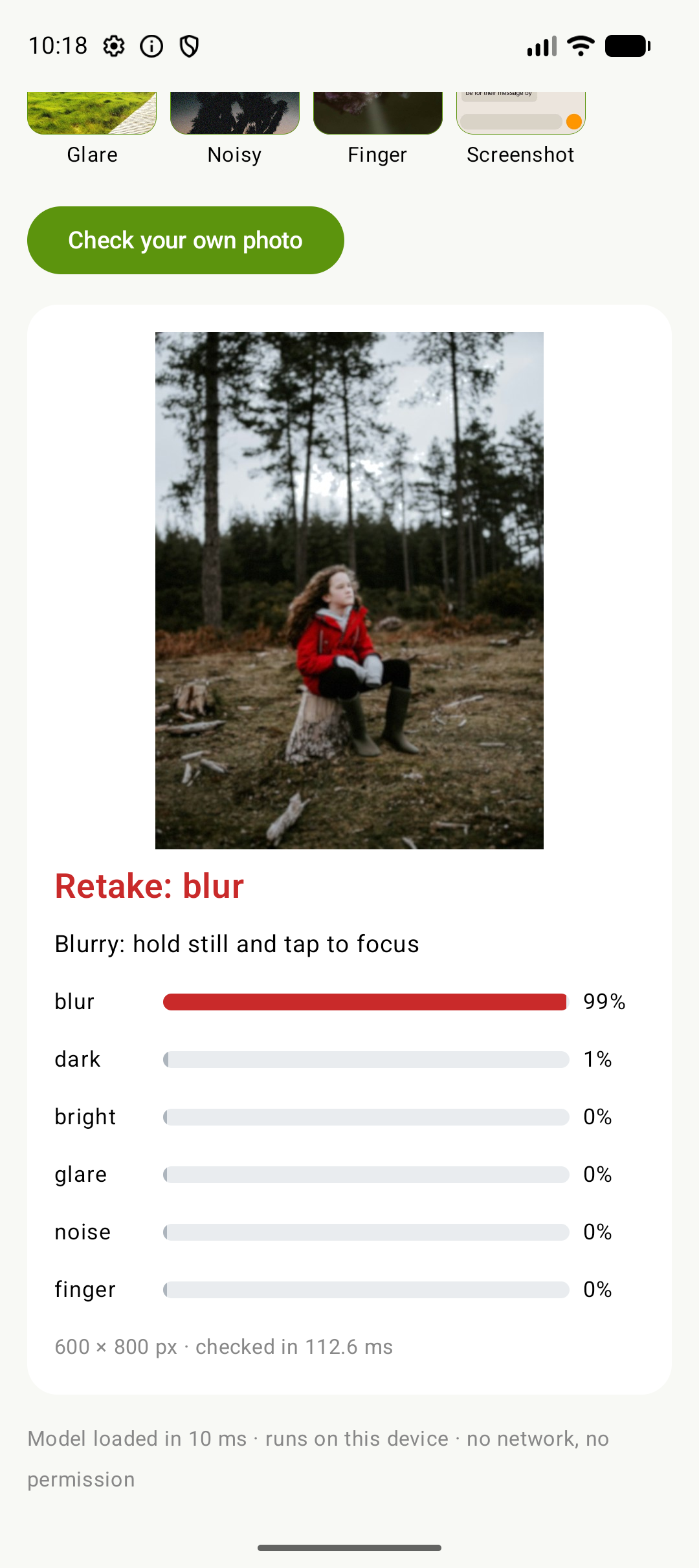
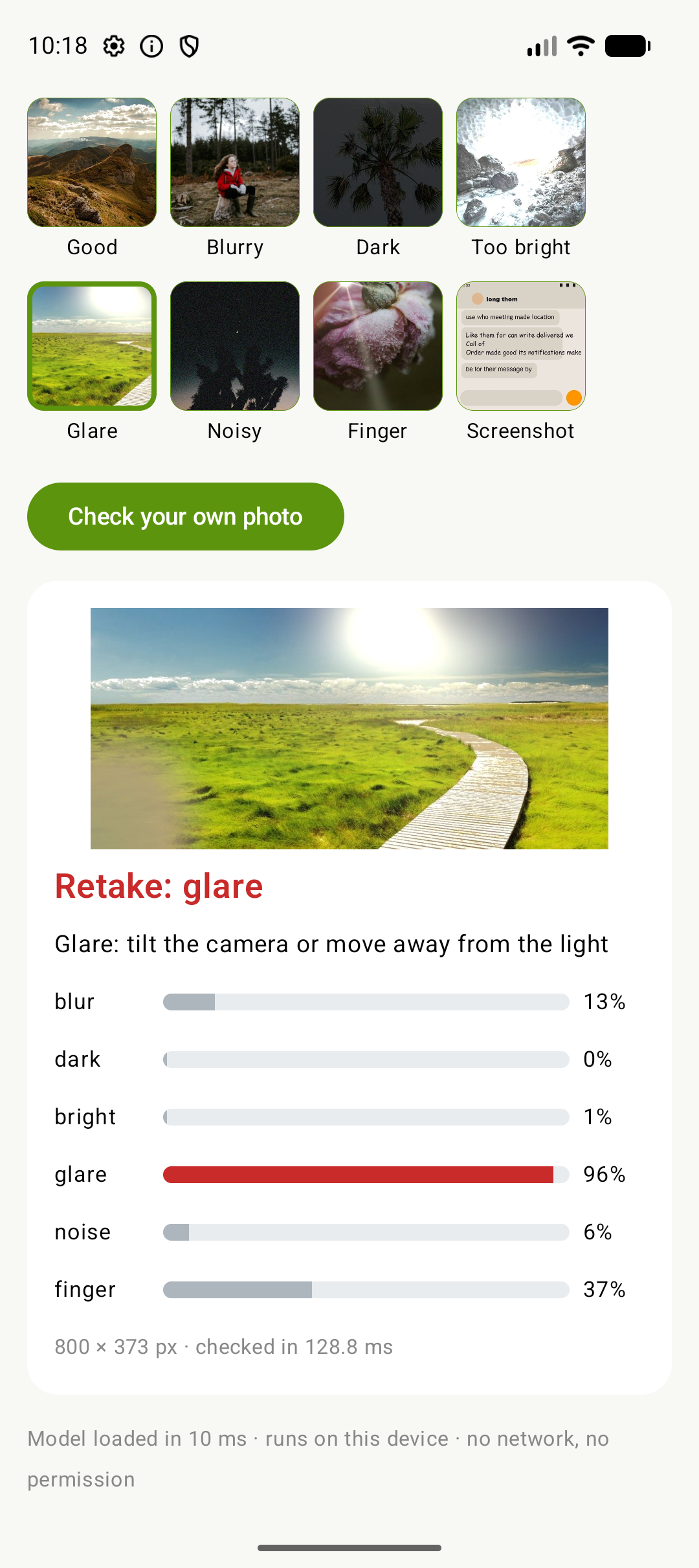
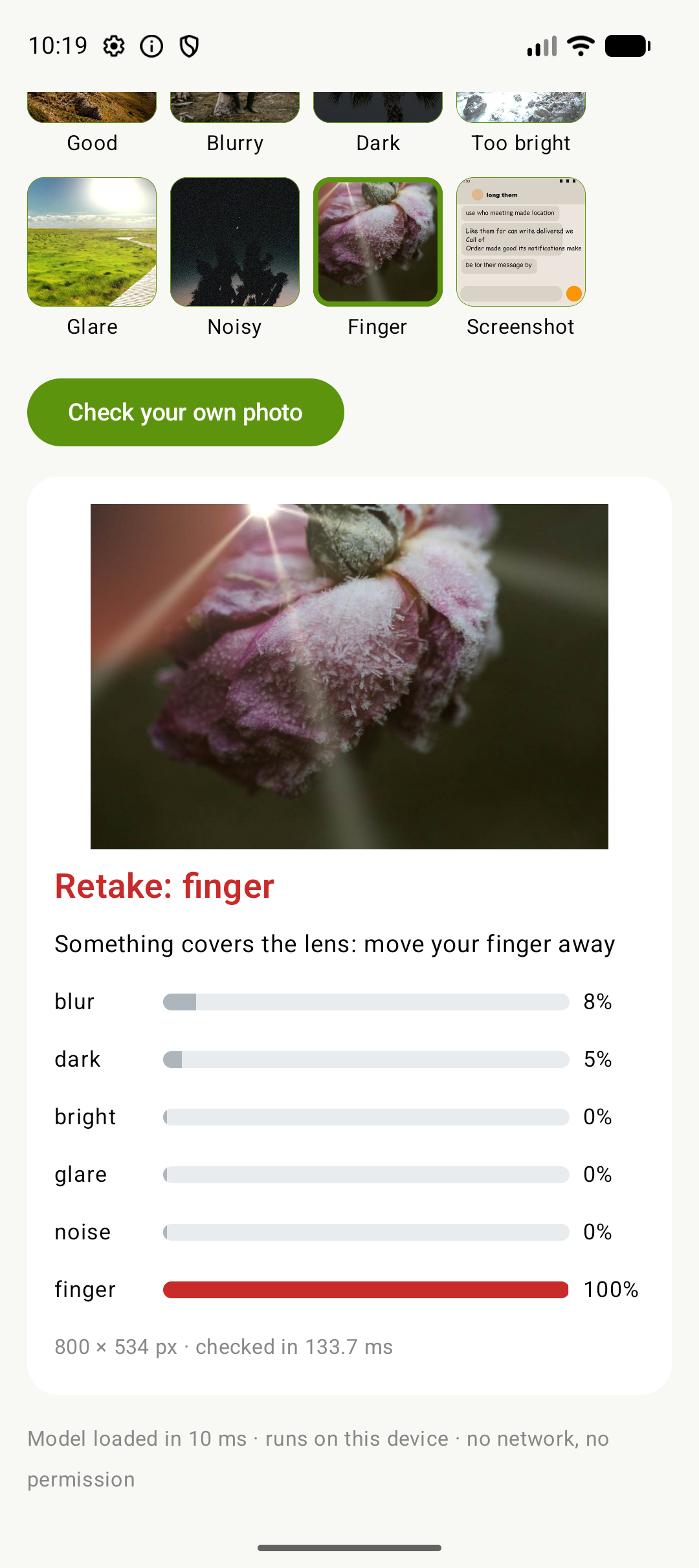
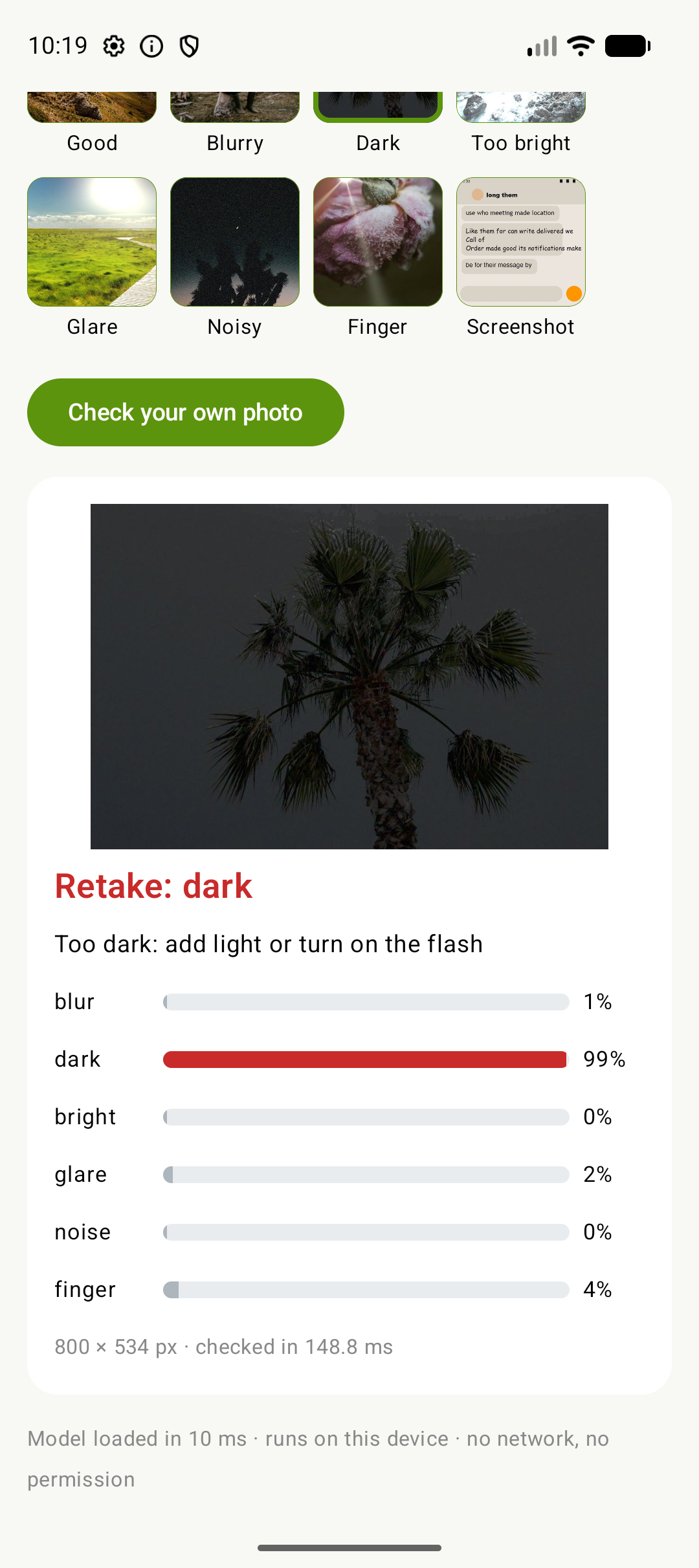
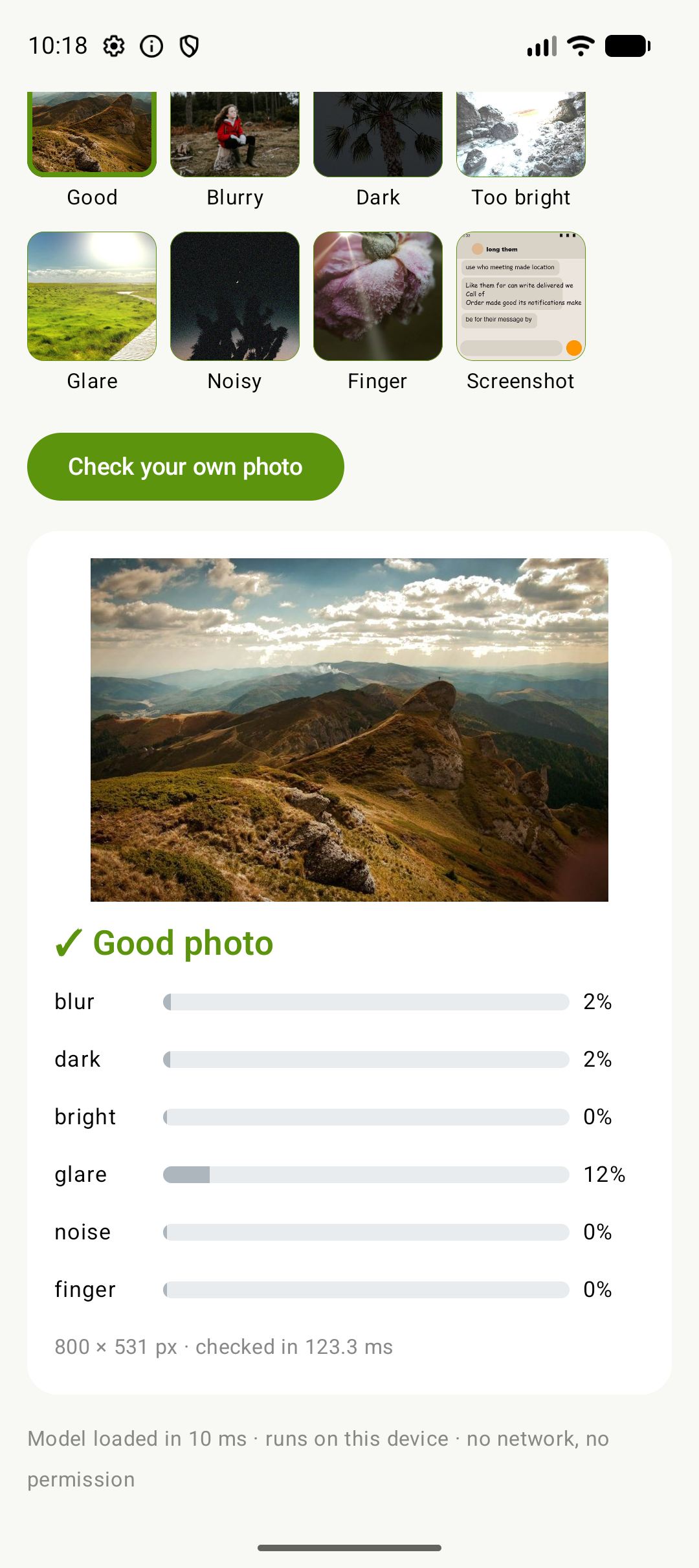
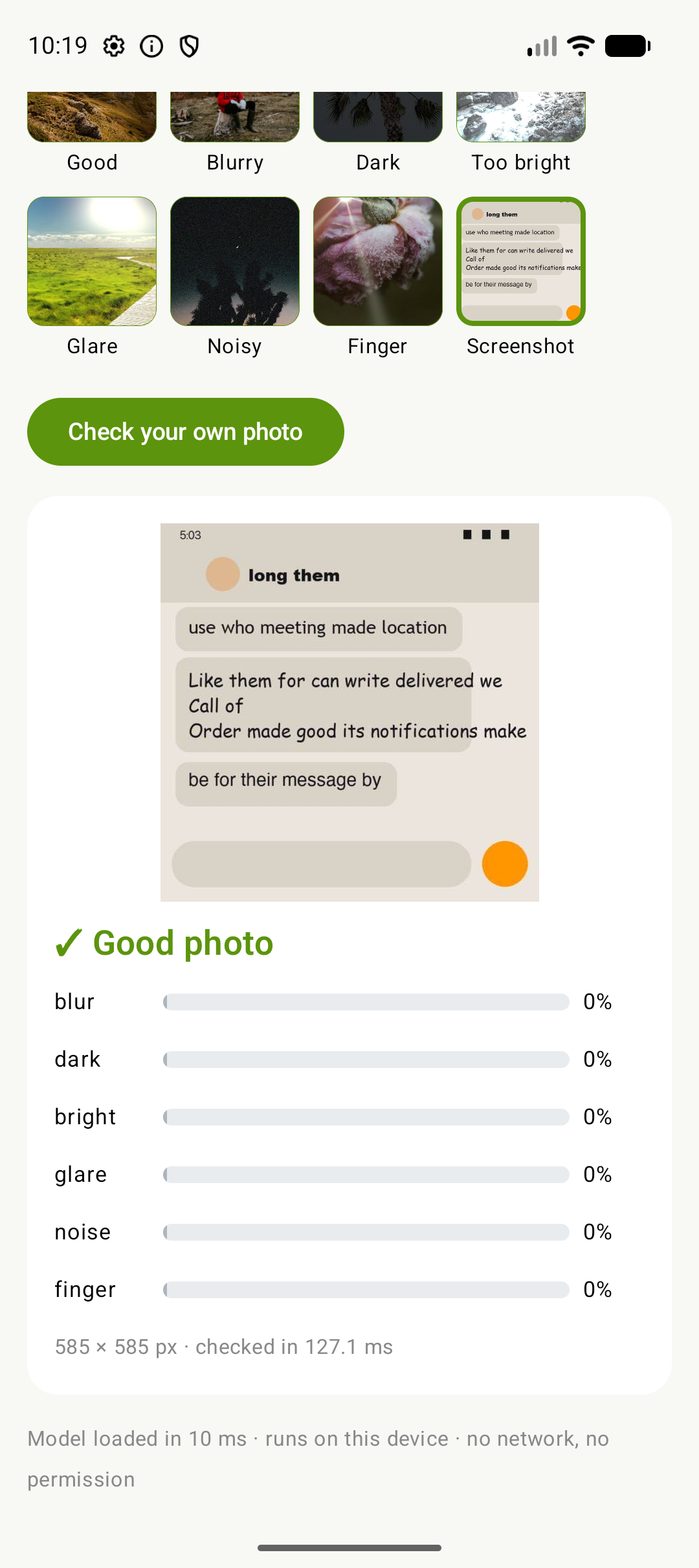
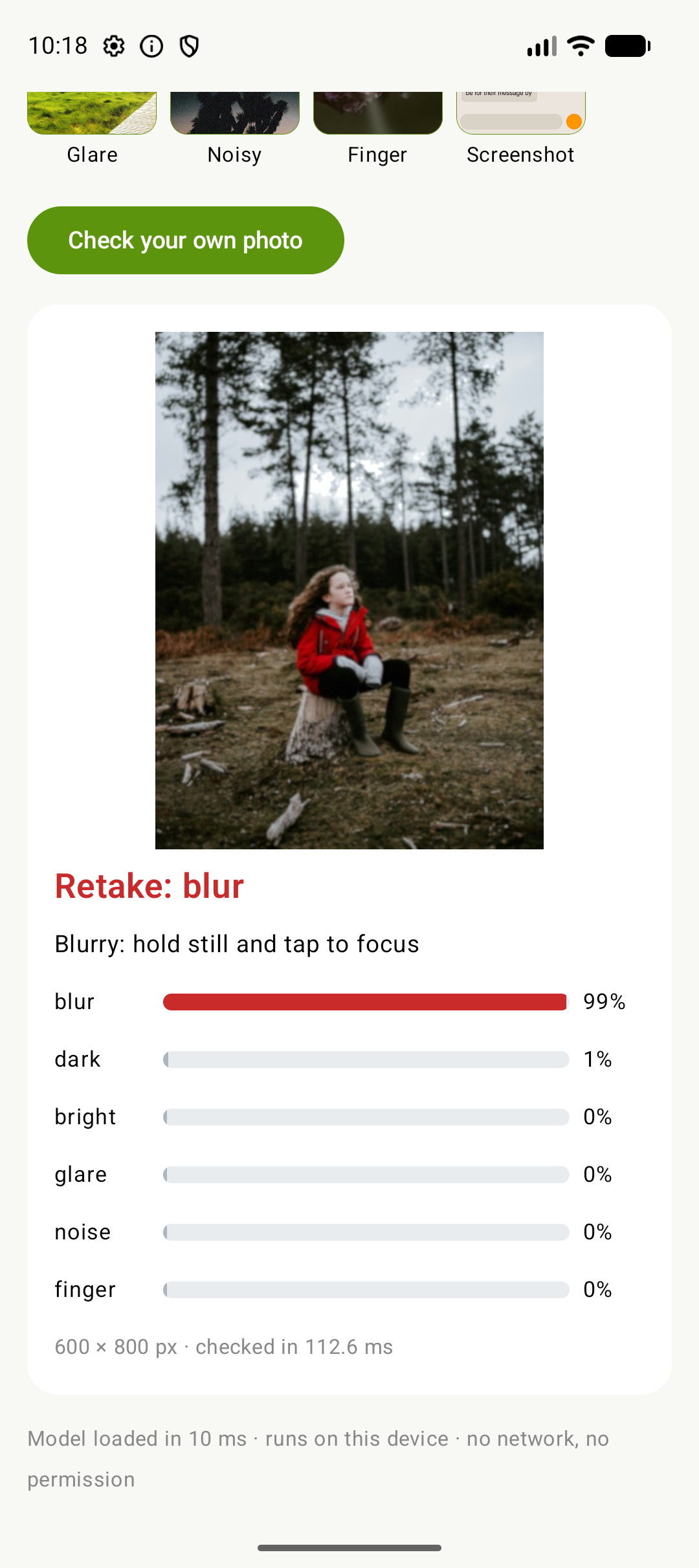
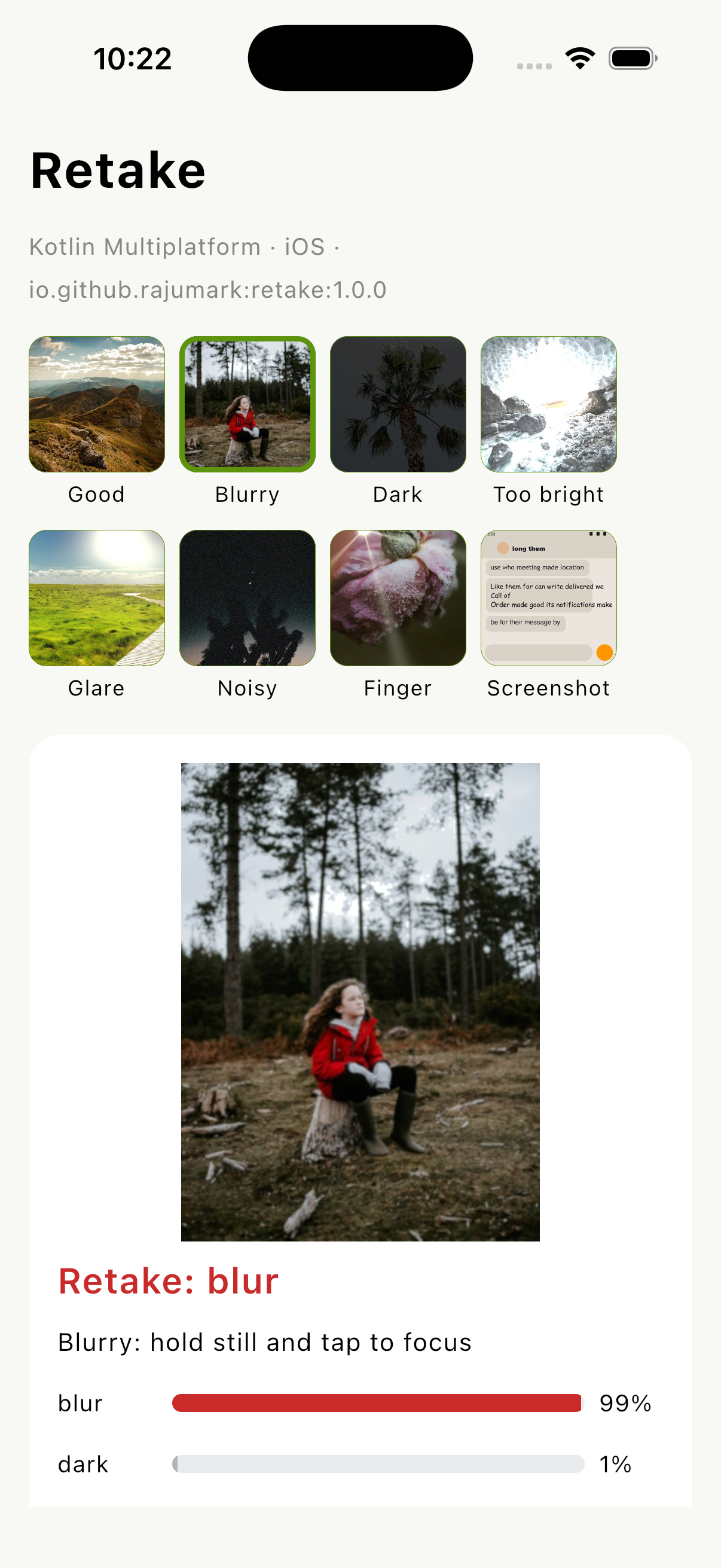
The sample app on an Android emulator. Every check runs on the device. These are not mockups.

retake: blur 99%

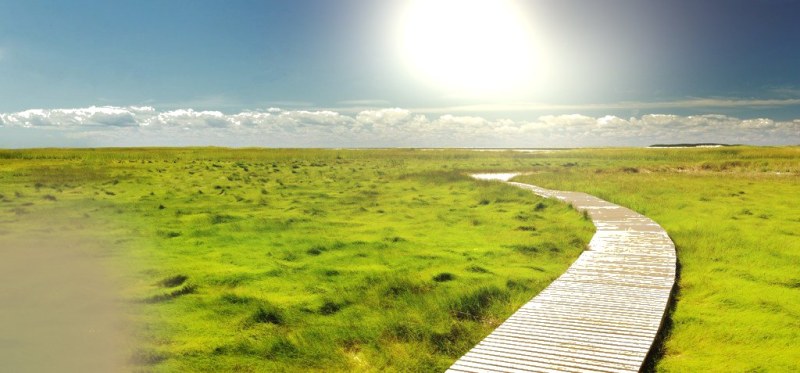
retake: glare 95%

retake: finger 100%

retake: dark 99%

keep it

not a camera photo: good
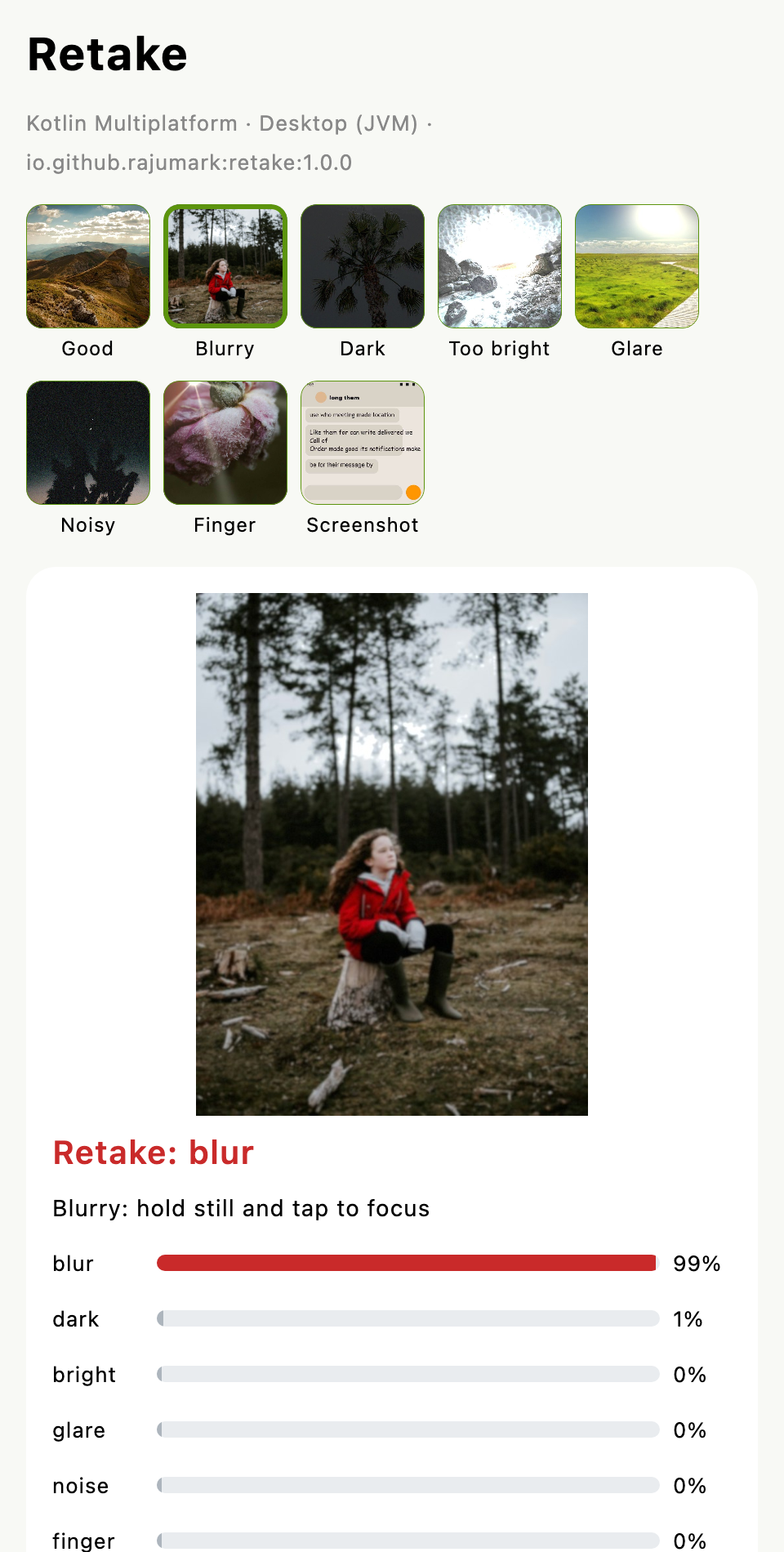
The Kotlin Multiplatform sample app, built from the published artifacts, gives the same result on Android, iOS, desktop and the web.

retake: blur 99%

retake: blur 99%

retake: blur 99%

retake: blur 99%
One line in your Gradle file, from Maven Central. Works in commonMain for Android, iOS, macOS, JVM desktop, JavaScript and WebAssembly. No API key, no account.
// build.gradle.kts: commonMain, or any platform source set
dependencies {
implementation("io.github.rajumark:retake:1.0.0")
}
// Gradle picks the right artifact per platform:
// retake-android · retake-jvm · retake-iosarm64 · retake-iossimulatorarm64
// retake-macosarm64 · retake-js · retake-wasm-js
Add Retake from rajumark to this Kotlin Multiplatform or Android project.
What it does: on-device photo quality check. Given a photo's pixels, it says whether the photo is good or should be retaken, with a 0..1 score for blur, dark, bright (over-exposed), glare, noise and finger (over the lens), plus a short hint per problem. Screenshots and graphics count as good. 0.5 MB, no dependencies, no network.
Install (Maven Central, no extra repository):
build.gradle.kts (commonMain or any source set): implementation("io.github.rajumark:retake:1.0.0")
Platforms: Android, iOS, macOS, JVM desktop, JavaScript, WebAssembly
Usage:
val retake = Retake() // off the main thread, keep one instance
val check = retake.check(argb, width, height) // ARGB pixels; Android: retake.check(bitmap) or check(context, uri)
if (!check.isGood) show(check.issues.first().hint) // e.g. "Blurry: hold still and tap to focus"
Repo: https://github.com/rajumark/retake#readme
Add the dependency, then follow the README for the exact API and current version.
Load once and reuse the instance. check() is thread-safe; run it on a background thread after a photo is taken or picked.
val retake = Retake()
val check = retake.check(argb, width, height)
// PhotoCheck(retake: BLUR, blur=0.991, dark=0.012, ...)
check.isGood // false
check.issues // [BLUR]
check.issues.first().hint // "Blurry: hold still and tap to focus"
// Android shortcuts
retake.check(bitmap)
retake.check(context, uri) // reduced-size decode + EXIF rotation
try (Retake retake = new Retake()) {
PhotoCheck check = retake.check(argb, width, height);
if (!check.isGood()) {
String hint = check.getIssues().get(0).getHint();
}
}
Anywhere a bad photo costs time, money or a second trip.
Ask for a retake on the phone before a blurry or glary ID photo is uploaded and rejected by a human a day later.
glare 0.95 → "Tilt the card away from the light"Catch shaky, dark or glare-washed scans while the user is still holding the paper.
blur 0.99 → retakeBetter product photos sell faster: nudge sellers to retake dark or blurry pictures before they post.
dark 0.99 → "Add light or turn on the flash"Find the blurry, dark and finger-covered shots in a camera roll so users can free space, without flagging screenshots.
screenshot → goodReal problems Retake solves today. Pick one and ship it.
KYC capture · Check ID card photos for blur and glare before upload, so verification passes the first time.
Expense receipts · Make sure every receipt photo is sharp and readable before it reaches accounting.
Document scanner · Warn about shaky or glary pages while the user is still holding the paper.
Seller listing helper · Nudge marketplace sellers to retake dark or blurry product photos.
Insurance claims · Accident and damage photos that are good enough to assess, the first time.
Property inspections · Field agents get told on the spot when a room photo is too dark or blurred.
Gallery cleaner · Find blurry, dark and finger-covered shots to delete, without touching screenshots.
Best-shot picker · From a burst, keep the sharpest, best-exposed photo automatically.
Profile photo check · Dating and social apps ask for a retake before a blurry selfie becomes a profile picture.
Proof of delivery · Drivers can't submit a dark or shaky doorstep photo.
Telehealth photos · Patients send skin or wound photos that a doctor can actually use.
Homework upload · Students' photographed worksheets are readable before the teacher opens them.
Menu and food apps · Restaurants upload dish photos that look good, not grainy.
Field service reports · Technicians' before/after photos are clear enough to prove the work.
Plant and crop apps · Make sure a leaf photo is sharp before running a disease model on it.
Accessibility camera · Tell blind and low-vision users "too dark" or "your finger is on the lens".
Camera app tips · Show a gentle "hold still" or "too bright" tip right after the shutter.
Smart backup · Skip uploading blurry duplicates and finger shots to save cloud storage.
Photography lessons · Explain what went wrong with each practice shot.
Pre-check for other models · Run OCR, face or plant models only on photos good enough to give a reliable answer.
Real phone photos from the LIVE In the Wild Challenge database, hand-labelled before the model was tested on them and scored once; plus 7,428 test photos with generated defects, never used for training.
| Retake | OpenCV rules (Laplacian + histogram) | CLIP ViT-B/32 zero-shot | |
|---|---|---|---|
| Real photos: verdict right | 86.6% | 52.7% | 19.4% |
| Real app screenshots wrongly flagged (102) | 0 | — | — |
| Generated defects: verdict right / issue F1 | 92.0% / 0.888 | 72.2% / 0.51 | 75.3% / 0.40 |
| Real blur ranking (BID, 586 photos): AUC | 0.862 | 0.837 | 0.789 |
| Size | 0.5 MB | — | ~350 MB |
The OpenCV rules and CLIP had their lines tuned on the validation set, to be fair to them. The rules can't detect a finger, and still flag about half of all good photos; CLIP flags almost every photo for something. In the pure-Kotlin library a 1040 × 780 photo takes about 90 ms on a laptop JVM and about 235 ms in a browser; an 800 px photo takes 110–150 ms in the Android sample on an emulator. Weak spots: real glare is caught less often than the other problems, and very dark night photos or deliberate motion blur can be flagged (raise the threshold to be lenient).
| Member | Description |
|---|---|
Retake() | Loads the bundled model. Implements AutoCloseable. |
check(argb, width, height, threshold = 0.5) | Checks ARGB pixels (any size; larger than 1024 px is shrunk first). Returns a PhotoCheck. |
checkRgb(rgb, width, height, threshold = 0.5) | The same for RGB bytes, 3 per pixel. |
PhotoCheck.isGood · issues · scores · score(issue) · strongest | The verdict, the problems found (most certain first), and every score from 0 to 1. |
Issue | BLUR, DARK, BRIGHT, GLARE, NOISE, FINGER, each with a short hint. |
Retake.check(bitmap) · Retake.check(context, uri) | Android: an upright Bitmap, or a photo Uri decoded at reduced size and turned upright from its EXIF orientation. |
No API key, no sign-up, no license file. Add Retake to your project and ship. It stays free until your product passes 10,000 monthly active devices, and there's never a limit on how often each device runs it.
For indie developers, startups and growing apps, up to 10,000 monthly active devices.
For products above 10,000 monthly active devices on any platform.
A small, fast on-device model trained for your language, domain or task.
A monthly active device is a phone, tablet or other device that runs Retake at least once in a calendar month.
The 10,000 limit applies separately to each product, each platform (Android, iOS, web…) and each Hoverfly model. Crossed it? You have 30 days to get a commercial license.
Questions about licensing? Email raju348636@gmail.com or call / WhatsApp +91 63533 21951. Full terms: Hoverfly Community License.
A Kotlin Multiplatform library (Android, iOS, macOS, JVM desktop, JavaScript, WebAssembly) that checks a photo on the device and says whether it's good or should be retaken, and why.
Blur (out of focus, motion, hand shake), too dark, too bright (blown out), glare and reflections, heavy noise, and a finger or object covering part of the lens. Each gets a score from 0 to 1; 0.5 is the default line.
They count as good: a dark-mode screen isn't an under-exposed photo. Retake was trained with generated screenshots, chats, documents and posters for exactly this, and flags none of 102 real app screenshots.
About 90 ms per photo on a laptop JVM, 110–150 ms in the Android sample on an emulator and about 235 ms in a browser, including the shrink to 1024 px. It's meant for checking a photo after it's taken, on a background thread. On Android, check(context, uri) decodes big photos at reduced size, which saves most of the decode time.
The tests compare it with the reference (OpenCV preprocessing + the same int8 weights in PyTorch) on 13 images on every target: the same 4 detail crops, and every score within 0.00023.
Nothing for products with up to 10,000 monthly active devices per platform, including commercial apps. There is no API key or account, and no limit on how often it runs. Above that, a commercial license is needed; see Pricing.
Yes. Hoverfly trains custom on-device models for your task and ships them as a small library like this one. Email raju348636@gmail.com or call / WhatsApp +91 63533 21951.
Built by a developer, for developers.
Every model here started as a problem I hit in my own apps. I made them small, private and free to start, so you can spend your time on the part your users will love.
Nine small on-device models, one job each. Same install, same free tier, and the same promise: nothing leaves the device.